
The best book scanner for office work can turn bound volumes, reports, receipts, and loose documents into searchable digital files without forcing pages flat. The right model can also reduce manual editing with OCR, automatic page flattening, and intelligent image correction.
We compared 10 office-ready scanners across capture size, resolution, speed, software features, portability, and ease of use to help you choose the right fit for everyday digitization.
Best 10 Book Scanner for Office Picks for 2026
High-Resolution Office Pick

- 38MP sensor with up to 410 DPI detail
- A3 scanning and automatic curve flattening
- OCR supports 180+ languages
Best For: High-detail office book digitization
Hands-Free Workflow Pick

- Scans bound books without cutting them
- Automatic curve correction and page detection
- Handles multiple small documents in one scan
Best For: Convenient overhead scanning of mixed materials
Balanced A3 Office Scanner

- A3 scanning with curved-page flattening
- 18MP camera and 275 DPI resolution
- OCR exports editable Word, Excel, and PDF files
Best For: USB-connected A3 office scanning
Large-Format Specialist

- Scans oversized A2 and A3 materials
- 26MP capture with automatic page processing
- OCR supports PDF, Word, Excel, EPUB, and text
Best For: Large-format books, maps, newspapers, and manuscripts
Fast A3 Workhorse
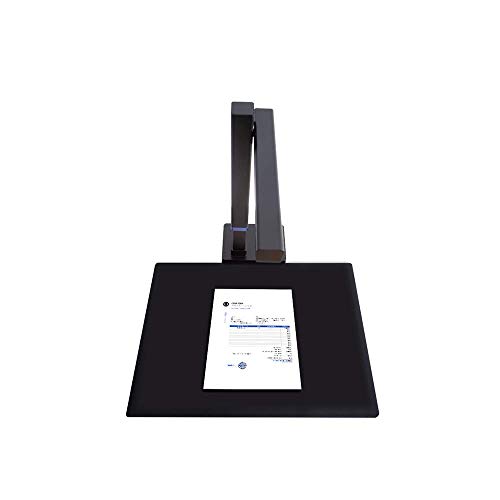
- Sub-one-second scanning for A3/A4 flat documents
- 180+ language OCR and document-camera mode
- Foldable, lightweight design with foot pedal
Best For: Fast office scanning of flat A3 and A4 documents
Large-Format Book Specialist

- Overhead A3 capture for books and oversized originals
- 16MP camera with up to 300 DPI resolution
- Auto page flattening and anti-glare LED lighting
Best For: Offices, libraries, and archives scanning bound books and large documents
Portable A4 Document Tool

- Lightweight, foldable design for mobile scanning
- One-page-per-second A4 capture and multi-target scanning
- OCR, webcam mode, and single-USB operation
Best For: Portable scanning of A4 documents, forms, and business cards
Best All-Around Choice

- About two seconds per page
- Searchable PDF, Word, and JPG output
- Curved-page flattening with 180+ language OCR
Best For: Offices digitizing books and mixed documents
Best Portable Option
CZUR Shine Ultra Pro Document Scanner

- Foldable design weighs about two pounds
- Exports Word, Excel, PDF, and JPG
- 24MP sensor with curved-surface flattening
Best For: Mobile offices and space-conscious workstations
Best for Hands-Free Scanning
CZUR Aura Pro Portable Scanner

- About two seconds per page
- Auto-detects page turns and scans
- Supports materials smaller than A3
Best For: Repetitive book and A3 document digitization
High-Resolution Office Pick – CZUR ET MAX
For offices handling frequent book and document digitization, the CZUR ET MAX is a capable book scanner for office workflows. Its 38MP camera, A3 scanning area, curve-flattening technology, and OCR support are designed for detailed, editable digital files.
Best For: Offices needing high-resolution, large-format scanning and broad OCR language support.
Pros:
- 38MP sensor captures detailed scans at up to 410 DPI.
- Automatically flattens curved book pages without unbinding them.
- Supports OCR in more than 180 languages and exports editable or searchable files.
- Works with Windows, macOS, and supported Ubuntu versions; HDMI output supports live demonstrations.
Cons:
- Not recommended for glossy or highly reflective materials.
- Arabic OCR is limited by operating system, while Thai and Hebrew are unsupported.
The ET MAX is a strong choice when image detail, A3 coverage, and flexible office connectivity matter more than compact size.
Hands-Free Workflow Pick – ScanSnap SV600
The ScanSnap SV600 is a practical book scanner for office users who need to scan bound materials without cutting or damaging them. Its overhead design combines automatic book correction, page-turn detection, and multi-document detection for streamlined desk-side scanning.
Best For: Offices scanning books, newspapers, magazines, photos, and mixed small documents.
Pros:
- Scans books and other materials directly without unbinding or cutting them.
- Automatically flattens book curves and corrects distortion.
- Page Turning Detection can begin scans automatically after a page is turned.
- Multi Document Detection crops and rotates multiple items in one scan.
Cons:
- Compatible system requirements focus on Windows 10/11 and macOS Monterey or later.
- The scanner weighs 6.6 pounds, making it less convenient to move frequently.
With page-turn automation and useful correction tools, the SV600 suits offices that prioritize convenient overhead scanning over maximum camera resolution.
Balanced A3 Office Scanner – CZUR ET18 Pro
The CZUR ET18 Pro offers a balanced setup for offices seeking a straightforward book scanner for office use. It combines an 18MP camera, A3 coverage, curved-page flattening, and OCR for turning bound books and documents into editable files.
Best For: Offices that need A3 book scanning, OCR, and efficient USB-connected operation.
Pros:
- Scans documents up to A3 size, including large books and papers.
- Technology digitally flattens curved book pages.
- ABBYY-powered OCR converts scans into editable Word, Excel, and PDF files.
- Reaches approximately two seconds per page after the operator becomes proficient.
Cons:
- USB cable connection is required; Wi-Fi is not supported.
- Very glossy or glary papers are not recommended.
- Its 18MP camera and 275 DPI specification provide less stated detail than the ET MAX.
The ET18 Pro is a sensible middle-ground option for offices that want large-format scanning and OCR without the higher stated resolution of CZUR’s ET MAX.
Large-Format Specialist – VIISAN S21 A2/A3 Scanner
For offices working with oversized materials, the VIISAN S21 stands out as a book scanner for office with adjustable A2/A3 coverage. Its 26MP camera, automatic page processing, OCR, and video capabilities support books, maps, manuscripts, documents, and remote collaboration.
Best For: Offices digitizing large-format books, newspapers, maps, manuscripts, and other oversized materials.
Pros:
- Supports A2 scanning up to 594 × 420 mm, as well as A3 use.
- Software can flatten curved pages, remove fingers, repair edges, and split facing pages.
- OCR converts files into PDF, Word, Excel, EPUB, and text formats.
- Adjustable height, foldable hinge, LED lighting, and UVC/UAC support add workplace flexibility.
Cons:
- Bundled OfficeCam software is not compatible with ARM-based devices such as Surface Pro X.
- Very glossy papers are not recommended, and built-in LEDs are not intended for bright-light use.
- Uses USB 2.0 connectivity rather than wireless operation.
The S21 is the most suitable choice here for oversized office materials, particularly when A2 capacity and document-processing features outweigh the need for a compact footprint.
Fast A3 Workhorse – CZUR Shine800A3 Pro
The CZUR Shine800A3 Pro is a practical book scanner for office workflows that involve A3 or A4 documents. Its overhead design, sub-one-second scanning speed, OCR support, and document-camera functionality make it useful for digitizing papers, forms, and other flat materials.
Best For: Offices that need fast A3/A4 scanning, OCR, and occasional video conferencing or document-camera use.
Pros:
- Scans pages in less than one second and supports A3 and A4 materials.
- OCR recognizes more than 180 languages and can convert documents into editable files.
- Foldable, lightweight design with adjustable height and a foot pedal.
- Works with Windows and macOS and can function as a USB document camera.
Cons:
- Not recommended for glossy photos or glossy magazines.
- Designed for flat materials and has a maximum thickness limit.
- Thai, Hebrew, and Arabic are not currently supported by the OCR.
Choose the Shine800A3 Pro when speed and flexible A3 capture matter more than flatbed-style scanning. Its portable build and office-friendly OCR tools make it a strong fit for everyday paper digitization.
Large-Format Book Specialist – VIISAN DL16 A3 Book Scanner
The VIISAN DL16 is a strong book scanner for office teams handling bound books, archives, artwork, or oversized paperwork. Its A3 overhead format avoids the constraints of a standard flatbed, while the 16MP camera, page-flattening capability, and anti-glare lighting support clearer captures.
Best For: Libraries, offices, educators, and archives that need overhead scanning for books and large-format materials.
Pros:
- Captures A3 documents, bound books, sheet music, artwork, and oversized pages.
- 16MP camera provides up to 300 DPI scanning detail.
- Auto page flattening helps capture curved book pages more evenly.
- Anti-glare LED lighting helps reduce glare and uneven shadows.
Cons:
- Its overhead format is less suited to users seeking a compact portable scanner.
- Requires a USB connection and a compatible Windows or Mac computer.
- The supplied information does not specify a scanning speed.
The DL16 is the better choice when your office scans books or large originals that are awkward to feed through a conventional scanner. Its lighting and page-flattening features are especially useful for organized archival work.
Portable A4 Document Tool – CZUR Lens800 Pro
The CZUR Lens800 Pro is a compact book scanner for office users who primarily handle A4 documents, forms, contracts, letters, and business cards. It scans at about one page per second, supports OCR and multi-target capture, and folds into a portable webcam for added flexibility.
Best For: Mobile professionals and small offices that need quick, touch-free A4 document and card scanning.
Pros:
- Compact 0.93-pound design folds for easy transport.
- Scans A4 documents at up to one page per second and can capture multiple targets.
- OCR converts documents into Word, Excel, PDF, and editable PDF files.
- Uses one USB connection for power and data and can work as an HD webcam.
Cons:
- Maximum capture size is A4, so it is not suited to A3 originals.
- Glossy paper is not recommended.
- Thai, Hebrew, and Arabic are not currently supported by the OCR.
Pick the Lens800 Pro when portability and quick A4 capture are priorities. It is particularly convenient for desks, shared workspaces, and employees who need to scan documents without feeding or touching the originals.
Best All-Around Choice – CZUR Aura Pro Book Scanner
The CZUR Aura Pro is a practical book scanner for office use when you need fast capture, book-page flattening, and searchable digital files. It scans at up to two seconds per page and supports JPG, Word, PDF, and searchable PDF output.
Best For: Offices digitizing books, documents, and mixed-format materials while also wanting an integrated desk lamp.
Pros:
- Scans a page in about two seconds.
- Outputs JPG, Word, PDF, and searchable PDF files.
- OCR supports more than 180 languages.
- Three laser lines help flatten curved book pages.
Cons:
- Thai, Hebrew, and Arabic are not supported by the listed OCR functionality.
- Requires a USB connection and a compatible Windows or macOS computer.
With fast scanning, broad file support, and curved-page correction, the Aura Pro is a strong general-purpose option for an office digitization station.
Best Portable Option – CZUR Shine Ultra Pro Document Scanner
The CZUR Shine Ultra Pro is a flexible book scanner for office teams that need a device they can move or store easily. Its 90-degree foldable, height-adjustable design weighs about two pounds and supports document, book, and spreadsheet digitization.
Best For: Small offices, mobile workstations, and users who value portability alongside multi-format output.
Pros:
- Foldable, height-adjustable design weighs approximately two pounds.
- Can flatten curved book surfaces through pixel transformation.
- Exports JPG, PDF, searchable PDF, Word, and Excel files.
- Uses a 24MP sensor with 5696 × 4272 resolution.
Cons:
- Requires a USB connection and a compatible Windows or macOS computer.
- Does not list the same specific scanning speed as the Aura models.
The Shine Ultra Pro stands out when space and portability matter, while its broad output options make it suitable for varied office workflows.
Best for Hands-Free Scanning – CZUR Aura Pro Portable Scanner
The CZUR Aura Pro Portable is a capable book scanner for office workflows that involve frequent page turning. It scans single sheets and double-page books in about two seconds per page, with auto page detection, automatic scanning, and an included foot-pedal trigger.
Best For: Offices digitizing books or A3-sized materials where hands-free or semi-automated capture is useful.
Pros:
- Scans single sheets and double-page books in about two seconds per page.
- Handles materials smaller than A3.
- Auto-detects page turns and can trigger scans automatically.
- Includes supplemental side lights and a foot-pedal scanning option.
Cons:
- Sound-control performance can be affected by noise and distance.
- Thai, Hebrew, and Arabic are not supported by the listed OCR functionality.
- Weighs about 3.24 kg, making it less convenient to move frequently.
Its page-turn detection, foot-pedal support, and fast A3-capable capture make this model particularly appealing for repetitive book-scanning projects.
How We Picked the Best Book Scanner for Office Use
We focused on features that matter in real office workflows rather than headline resolution alone. Our comparison considers camera quality, maximum document size, OCR support, page-flattening performance, lighting, scan speed, connectivity, software usability, and portability. Overhead designs are especially useful for books and bound materials because they minimize spine stress, while A3 and A2 capture areas accommodate larger reports, drawings, and ledgers.
We also included both dedicated desktop scanners and portable document cameras. That makes the list useful for offices with a fixed digitization station as well as teams that scan at meetings, archives, libraries, or multiple workspaces.
Quick Comparison
High-resolution models such as the CZUR ET MAX and VIISAN large-format scanner are suited to demanding archives, oversized documents, and frequent use. The ScanSnap SV600 is a strong choice for streamlined document management and broad office compatibility. Midrange overhead models, including the CZUR ET18 Pro, VIISAN DL16, and CZUR Shine800A3 Pro, balance image quality and cost.
For smaller desks or mobile work, consider the CZUR Lens800 Pro, CZUR Shine Ultra Pro, or one of the portable Aura Pro configurations. Check the exact package and software bundle before buying, since similarly named models may differ in capture size, resolution, and included accessories.
Key Buying Factors for a Book Scanner for Office
Capture Size and Workspace
A4 support is enough for standard letters, books, and invoices. Choose A3 if your office scans newspapers, accounting books, maps, or larger forms. A2-capable equipment is better for oversized archival material but usually needs more desk space.
Resolution and Image Processing
Higher megapixel counts can preserve fine print and illustrations, but lighting and software processing are equally important. Look for automatic cropping, deskewing, background cleanup, glare reduction, and finger removal. Page-flattening technology is particularly valuable when scanning curved book pages.
OCR and File Workflows
If scanned files need to be searched, edited, or added to a document management system, verify OCR support and export formats such as searchable PDF, Word, or spreadsheet files. Confirm that the software works with your operating system and office applications.
Speed, Lighting, and Connectivity
For batch work, prioritize fast capture, reliable page detection, and consistent LED lighting. USB connectivity is common and dependable, while portability matters if the scanner will move between departments. A stable stand and a generous scan mat can improve productivity as much as raw speed.
Who Should Buy Which Book Scanner for Office?
Choose a high-resolution, large-format model for archives, legal records, design materials, or offices scanning books every day. Pick a balanced A3 overhead scanner for general document digitization and occasional bound materials. A compact portable model makes more sense for consultants, field teams, classrooms, and small offices with limited desk space.
Before ordering, measure your available workspace, identify the largest material you will scan, and confirm the required OCR and export features. Matching those practical requirements to the scanner’s capture area and software support will usually produce a better result than choosing solely by megapixel count.