
A good subwoofer can make a desktop audio system sound fuller without taking over your workspace. The right model adds controlled low-end impact for music, movies, games, and creative work while matching your speakers and available connections.
We’ve rounded up 10 options ranging from compact 2.1 speaker systems to standalone powered subwoofers, with emphasis on size, power, setup, and everyday listening value.
Best 10 Subwoofers for Desktop Setups Picks for 2026
Best Studio Upgrade

- 8-inch driver reaches down to 30 Hz
- Bluetooth 5.0 and flexible wired inputs
- Adjustable crossover and room-tuning controls
Best For: Compact studio monitors and music production
Best Home Audio Value
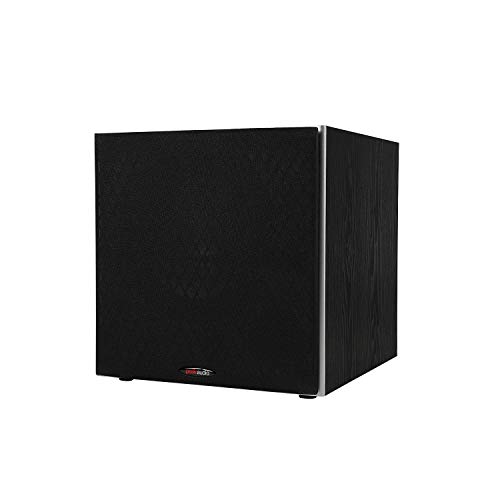
- 10-inch woofer for deep, punchy bass
- Up to 100 watts with built-in amplifier
- Adjustable 80–160 Hz crossover
Best For: Small-to-medium rooms and home theater systems
Best Complete Desktop System

- THX-certified 2.1 computer speaker system
- 6.5-inch side-firing ported subwoofer
- Plug-and-play 3.5 mm desktop connection
Best For: Gaming, movies, and everyday computer audio
Best Simple Add-On

- 8-inch driver with 70-watt RMS output
- Low-pass filter reaches down to 38 Hz
- MDF enclosure and automatic standby
Best For: RCA-equipped indoor stereo and desktop systems
High-Output Pick

- 12-inch woofer with 200W amplifier power
- 29–120 Hz response and up to 116 dB output
- Large floor-standing cabinet with RCA input
Best For: Powerful bass in spacious desktop-adjacent rooms
Compact Connectivity Pick
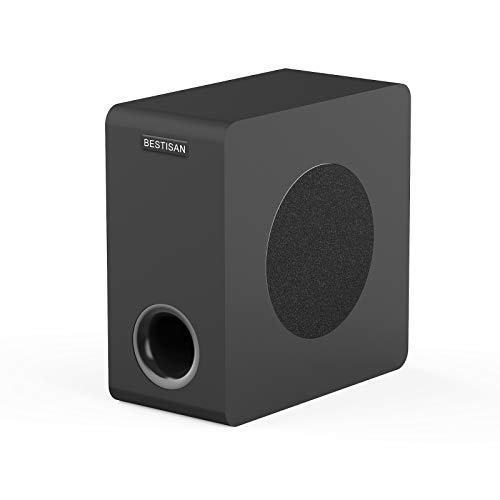
- Compact 6.5-inch powered subwoofer
- RCA, AUX, LFE, and high-level connections
- Side-firing woofer with bass-reflex cabinet
Best For: Small desks and versatile mixed audio setups
Best All-in-One Pick

- Dedicated subwoofer with 80W peak power
- Bluetooth 5.4, USB, USB-C, and AUX
- DSP tuning plus adjustable RGB lighting
Best For: Feature-rich desktop audio with flexible connections
Best Dedicated Bass Upgrade
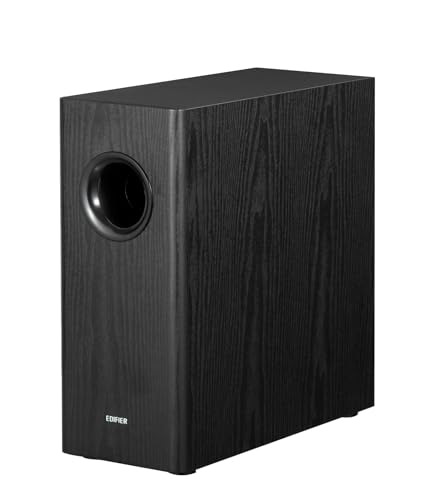
- 8-inch woofer with 70W RMS output
- 35Hz bass and adjustable 30–160Hz low-pass filter
- RCA input/output with phase selection
Best For: Expanding compatible desktop or bookshelf speaker systems
Best Studio Upgrade – PreSonus Eris Sub 8BT
The PreSonus Eris Sub 8BT is a flexible choice among subwoofers for desktop setups, especially when you want accurate low end for music production, listening, or multimedia work. Its 8-inch driver reaches down to 30 Hz and includes Bluetooth 5.0 alongside balanced and unbalanced wired inputs.
Best For: Compact studio monitors, music production, and desktop listening setups that need precise bass integration.
Pros:
- 8-inch front-firing driver delivers low frequencies down to 30 Hz.
- Bluetooth 5.0 plus TRS, RCA, and auxiliary input options improve connectivity.
- Adjustable highpass, lowpass, and room-tuning controls help integrate the subwoofer.
- Front headphone output and automatic power-saving mode add convenience.
Cons:
- Its studio-focused controls may be more than casual listeners need.
- It is a separate floor-standing component rather than a complete desktop speaker system.
The Eris Sub 8BT stands out for connection flexibility and tuning control. It is a strong fit when desktop bass needs to remain detailed and properly blended with existing monitors.
Best Home Audio Value – Polk Audio PSW10
The Polk Audio PSW10 adds substantial low-frequency impact to desktop-adjacent home audio and small-room systems. Its 10-inch Dynamic Balance woofer, built-in amplification, and adjustable crossover make it a practical option for listeners seeking fuller music and movie sound.
Best For: Small-to-medium rooms, home theater systems, and setups that prioritize strong bass from a conventional wired subwoofer.
Pros:
- 10-inch woofer provides extra bass depth and punch.
- Built-in 50-watt RMS amplifier delivers up to 100 watts of power.
- Variable 80–160 Hz crossover supports integration with different speakers.
- Includes speaker-level outputs, line-level inputs, and a phase toggle.
Cons:
- Its 17-inch depth and roughly 11.8 kg weight may be excessive for a compact desk.
- Connectivity is wired rather than wireless.
The PSW10 is better suited to a larger desktop listening area or nearby home theater than a tight workstation. Choose it when room-filling bass and broad speaker compatibility matter more than minimal size.
Best Complete Desktop System – Klipsch ProMedia 2.1
The Klipsch ProMedia 2.1 is a complete computer speaker system rather than a standalone subwoofer, making it one of the simplest subwoofers for desktop setups to install. It combines two satellite speakers with a 6.5-inch side-firing subwoofer, THX certification, and a convenient control pod.
Best For: Gaming, movies, and music on a computer when you want a plug-and-play speaker-and-subwoofer package.
Pros:
- Includes two satellites and a 6.5-inch ported subwoofer.
- THX certification and MicroTractrix horn technology support clear, energetic sound.
- Up to 200 watts peak power and 110 dB in-room output provide strong volume.
- Simple 3.5 mm input and control pod offer easy desktop operation.
Cons:
- The subwoofer is designed as part of the included 2.1 system, not as a standalone upgrade.
- Wired connectivity limits placement flexibility.
For users starting from scratch, the ProMedia 2.1 offers an uncomplicated route to fuller desktop sound. Its compact satellites and dedicated subwoofer make it especially practical for gaming and everyday computer entertainment.
Best Simple Add-On – Edifier T5 Powered Subwoofer
Edifier T5 Powered Subwoofer - 70w RMS Active Woofer with 8 inch Driver and Low Pass Filter
Check Price On AmazonThe Edifier T5 is a straightforward powered subwoofer for desktop setups that need more bass without complicated controls. Its 8-inch driver, 70-watt RMS output, low-pass filter, and dense MDF enclosure are designed to supplement existing speakers through RCA connections.
Best For: Indoor stereo systems and desktop speaker setups with a compatible subwoofer or line-out connection.
Pros:
- 8-inch driver and 70-watt RMS output add substantial low-end energy.
- Low-pass filtering reaches down to 38 Hz and helps focus the woofer on bass duties.
- Thick MDF enclosure is intended to reduce acoustic resonance.
- Automatic standby helps limit unnecessary power use.
Cons:
- RCA wired connectivity requires a compatible output on the source system.
- Its listed 16.5-inch depth may be large for a crowded desktop area.
- It offers fewer connection and tuning options than the PreSonus model.
The T5 is a sensible add-on when your current speakers already handle the midrange and treble well. Its appeal is straightforward powered bass, though its relatively deep cabinet deserves careful placement planning.
High-Output Pick – Klipsch R-120SW
For shoppers seeking subwoofers for desktop setups with serious low-end output, the Klipsch R-120SW brings a large 12-inch woofer and a 200-watt amplifier to the system. Its floor-standing cabinet is better suited to a spacious office, studio, or entertainment area than a compact desktop.
Best For: Large desktop-adjacent listening spaces, home entertainment, and users who want powerful bass extension.
Pros:
- 12-inch high-excursion spun-copper woofer.
- 200 watts of amplifier power, with 400 watts peak output.
- 29–120 Hz frequency range at ±3 dB and up to 116 dB acoustic output.
- Rear-firing bass-reflex port and wired RCA connectivity.
Cons:
- Its 31-pound, 19.2-by-14-by-16.5-inch cabinet may overwhelm a small desk area.
- Wired connectivity requires suitable RCA integration.
The R-120SW is the performance-focused option here. It can add substantial impact to music, movies, and games, but its size makes it a better match for a room surrounding a desktop setup than for placement directly on or beside a compact desk.
Compact Connectivity Pick – BESTISAN SW65D
The BESTISAN SW65D is a practical middle ground for subwoofers for desktop setups, pairing a compact 6.5-inch side-firing woofer with several input options. Its small cabinet and 9.2-pound weight make it easier to place near a desk than a full-size home theater subwoofer.
Best For: Compact desks and mixed audio systems using RCA, 3.5mm AUX, LFE, or high-level speaker connections.
Pros:
- Space-saving 6.5-inch powered subwoofer with a wood cabinet.
- Offers RCA, AUX, LFE, and high-level speaker inputs and outputs.
- Side-firing woofer, bass-reflex cabinet, and internal bracing are designed for controlled bass.
- Remote control and black oak finish support convenient everyday use.
Cons:
- Its 100-watt maximum output is less substantial than larger subwoofers.
- Best results call for a source output of 850 mV or less.
- The manufacturer recommends pairing it with BESTISAN soundbars or bookshelf speakers.
The SW65D stands out for flexible setup options without taking up much floor space. It is a sensible choice when your desktop audio system may also connect to a TV, soundbar, receiver, or bookshelf speakers.
Simple Desktop System – Logitech Z313 2.1 Speaker System
The Logitech Z313 is the most straightforward choice for subwoofers for desktop setups because it comes as a complete 2.1 computer speaker system. Connect the two satellite speakers to the subwoofer, plug it into a computer, and use the wired control pod for volume and headphone access.
Best For: Everyday computer audio, small desks, and shoppers who want a complete plug-and-play speaker system.
Pros:
- Complete 2.1 system includes a subwoofer, two satellites, and control pod.
- 25 watts of total system power provides room-filling stereo sound.
- Compact subwoofer is designed to fit in tight spaces.
- Works with devices featuring a 3.5mm headphone jack.
Cons:
- 48 Hz frequency response does not extend as low as the larger standalone subwoofers.
- Uses a basic wired auxiliary connection rather than RCA or LFE inputs.
- It is an integrated speaker system, so the subwoofer is not intended as a standalone upgrade.
The Z313 prioritizes simplicity and desk-friendly placement over deep, high-output bass. It is a good fit for users who need an affordable all-in-one computer audio solution rather than a separate subwoofer for an existing speaker system.
Best All-in-One Pick – Bluedee 2.1 Desktop Speakers
If you want subwoofers for desktop setups without assembling separate components, the Bluedee SK900PRO combines stereo satellites with a dedicated wired subwoofer. Its DSP tuning, 80W peak output, and multiple wired and Bluetooth connections make it practical for everyday work, gaming, music, and movies.
Best For: Desktop users who want a feature-rich 2.1 speaker system with Bluetooth, USB, AUX, and RGB lighting.
Pros:
- Dedicated subwoofer adds deeper, punchier bass while keeping the satellite speakers clearer.
- Supports Bluetooth 5.4, USB-A, USB-C, and 3.5mm AUX connections.
- DSP tuning is designed to reduce distortion and harsh highs.
- One control knob handles volume, playback, lighting, and input modes.
Cons:
- The plastic enclosure may feel less substantial than a wood-cabinet system.
- The subwoofer is wired and the system requires a DC adapter.
- RGB lighting may not suit minimalist desk setups.
The Bluedee is a convenient choice when you want bass enhancement and modern desktop features in one package. It is especially versatile for mixed-use desks where computers, phones, tablets, and gaming devices may share the speakers.
Best Dedicated Bass Upgrade – Edifier T5s Powered Subwoofer
The Edifier T5s is a standalone powered subwoofer for desktop setups that already use compatible bookshelf or powered speakers. Its 8-inch long-throw woofer, 70W RMS amplifier, and 35Hz frequency response are aimed at adding substantial low-end impact rather than replacing your main speakers.
Best For: Users with speakers or an amplifier that provides a subwoofer output or compatible RCA line connections.
Pros:
- 8-inch woofer and 70W RMS output provide deep, powerful bass down to 35Hz.
- Adjustable low-pass filter from 30Hz to 160Hz helps integrate the subwoofer with different speakers.
- Phase selection and RCA input/output support flexible system matching.
- Auto-standby activates after 15 minutes of inactivity, and cables are included.
Cons:
- Its 15.71-inch depth and 10.38 kg weight require considerably more desk or floor space.
- It uses wired RCA connections and has no wireless communication.
- It is an add-on component, so compatible main speakers are required.
The T5s is the strongest choice here for upgrading an existing desktop audio system with controlled, room-filling bass. Before buying, confirm that your speakers or amplifier have a sub out or suitable RCA line connections.
Best Value 2.1 System – Cyber Acoustics CA-3810
The Cyber Acoustics CA-3810 is a straightforward 2.1 option for subwoofers for desktop setups, pairing two compact satellite speakers with a ported 5.25-inch side-firing subwoofer. With 40W RMS, 80W peak power, simple 3.5mm connectivity, and separate bass and volume controls, it focuses on accessible everyday audio.
Best For: PC, laptop, console, and mobile users who want an affordable wired speaker system with adjustable bass.
Pros:
- Ported 5.25-inch side-firing subwoofer delivers deeper bass for music, movies, and games.
- Separate volume and bass controls make quick sound adjustments easy.
- 3.5mm AUX input works with PCs, Macs, consoles, tablets, smartphones, and MP3 players.
- Control pod includes a headphone jack for private listening.
Cons:
- Connectivity is limited to wired 3.5mm auxiliary audio.
- The system uses a 110V AC power adapter.
- The included one-year warranty is shorter than some competing options.
The CA-3810 is a practical pick when you want a traditional desktop 2.1 setup with dedicated bass and uncomplicated controls. Its compact subwoofer is designed to fit under most desks, making it suitable for smaller spaces.
How We Picked the Best Subwoofers for Desktop Setups
We focused on powered models and complete 2.1 speaker systems that are practical for desks, small offices, bedrooms, and compact entertainment spaces. Our comparison considers driver size, stated power, connection options, enclosure footprint, crossover controls, ease of setup, and compatibility with existing desktop speakers.
Because manufacturers describe power differently, wattage is not treated as a direct measure of sound quality. A well-matched compact subwoofer can outperform a larger, less integrated model in a near-field setup.
Quick Comparison
| Best For | What to Look For |
|---|---|
| Complete PC audio | 2.1 systems with included satellites and simple volume controls |
| Adding bass to existing speakers | Standalone powered subwoofer with compatible inputs and a low-pass filter |
| Small desks | Compact cabinet, modest driver size, and front- or side-firing design |
| Games and movies | Deeper extension, higher output, and adjustable crossover |
| Music or studio work | Controlled bass, flexible level adjustment, and clean integration |
Key Buying Factors for Subwoofers for Desktop Setups
Size and Placement
Measure the available floor or shelf space before buying. A subwoofer does not need to sit directly beside the monitor, but placing it near the desk can simplify cable management. Side-firing cabinets may be easier to position in tight spaces, while front-firing designs can offer more predictable placement near a wall.
Power and Driver Size
Six- to eight-inch drivers are common for desktop systems and usually provide a useful balance of depth and footprint. Larger drivers can produce more room-filling bass, but they may be unnecessary in a near-field setup and more difficult to blend with small satellite speakers.
Connections and Compatibility
Check whether the subwoofer accepts RCA, speaker-level, auxiliary, or dedicated subwoofer signals. A standalone model may need an amplifier, receiver, or compatible powered speakers. Complete 2.1 systems are generally simpler because the satellites and subwoofer are designed to work together.
Controls and Integration
A volume control is essential, while adjustable crossover and phase controls make it easier to achieve balanced bass. Start with the subwoofer at a low level and increase it gradually until the low frequencies sound full rather than boomy.
Who Should Buy Which Subwoofers for Desktop Setups?
Choose a complete 2.1 computer speaker system if you want the easiest setup for a PC and do not already own speakers. These systems typically include all required satellites, cables, and desktop controls.
Choose a compact powered subwoofer if your current speakers already sound good but lack low-end impact. Prioritize matching inputs and adjustable controls over maximum advertised wattage.
Choose a larger standalone model if you want stronger bass for movies, gaming, or a small room and have enough space for proper placement. For music production or critical listening, favor controlled response and flexible crossover adjustment over exaggerated bass output.