
Choosing the right laptop for video editing is about more than raw speed. You need enough GPU power for effects and color work, a fast processor for exports, and a display that helps you trust what you see.
Below, we’ve rounded up 10 strong options for creators, from mobile workstations to more affordable editing-friendly laptops, so you can match performance to your workflow and budget.
Best 10 Laptops for Video Editing Picks for 2026
Flagship Workstation Pick
Dell Precision 7680 16-inch i9 Workstation
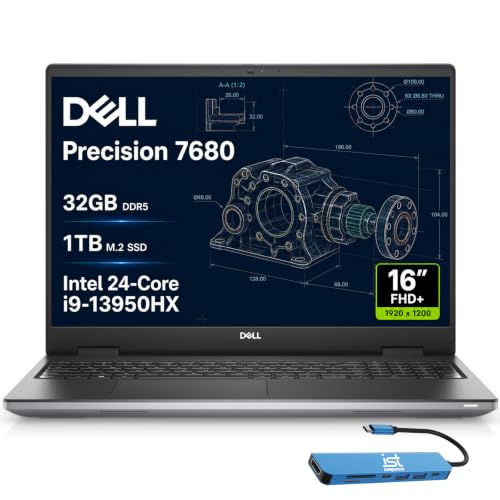
- Core i9-13950HX for heavy creative workloads
- 32GB DDR5 CAMM and 1TB SSD
- Thunderbolt 4, USB-C, HDMI, Ethernet
Best For: Editors and professionals who need a high-end mobile workstation
Renewed Professional Value
Dell Precision 5550 Renewed Workstation

- Core i7-10850H with 32GB RAM
- 1TB SSD and Nvidia Quadro graphics
- 15.6-inch FHD panel with Windows 11 Pro
Best For: Editors who want a renewed workstation with strong memory and storage
High-Refresh Creator Option
MSI Crosshair A16 HX 240Hz RTX 5070

- Ryzen 9 8940HX with RTX 5070 graphics
- 16-inch 2560 x 1600 display at 240Hz
- 32GB DDR5 memory and 1TB SSD
Best For: Creators who want strong CPU/GPU hardware and a sharp display
Entry-Level Creator Choice

- Ryzen 5 6600H for everyday performance
- 16GB DDR5 RAM and 512GB SSD
- Upgradeable to 64GB RAM and 4TB SSD
Best For: Students and entry-level creators who need an affordable, upgradeable laptop
Mobile Workstation Pick
Dell Precision 7750 17.3" FHD Workstation
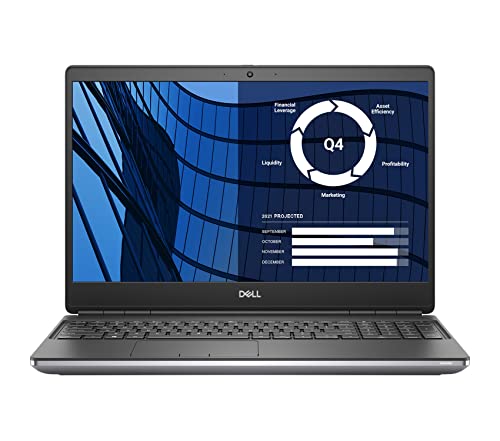
- 64GB RAM and 2TB SSD support large editing projects.
- Quadro RTX 3000 6GB adds pro-grade graphics support.
- 17.3-inch screen and multiple ports suit desk setups.
Best For: Editors who want a refurbished workstation with lots of memory and storage.
Best All-Rounder

- Ryzen 9 8945HS brings fast 8-core/16-thread performance.
- 32GB DDR5 RAM and 1TB SSD support editing workloads.
- User-replaceable memory and storage help extend lifespan.
Best For: Editors who want a modern, upgradeable laptop with strong everyday speed.
Pro Editing Workstation

- 16-core Core i7-12850HX is built for heavy multitasking.
- 64GB DDR5 RAM and RTX A1000 support editing work.
- 16-inch 1920x1200 anti-glare screen adds workspace.
Best For: Professional editors who want a powerful workstation with a sharper 16:10 screen.
Creator-Friendly Performance
Lenovo 16" i7-13620H, 16GB, 1TB SSD

- Core i7-13620H handles multitasking well
- 1TB SSD gives plenty of project storage
- 16-inch WUXGA screen adds workspace
Best For: Portable everyday editing and content creation
Best Heavy-Duty Pick
ThinkPad P17 Gen 2 17.3" 4K, RTX A2000, 64GB

- 64GB RAM supports large editing projects
- RTX A2000 helps with GPU-accelerated work
- 17.3-inch 4K display is ideal for detail
Best For: Heavy-duty editing on a desk-ready workstation
Flexible 2-in-1 Value
IdeaPad 16" Ryzen 7 8845HS Touch, 16GB, 1TB

- Ryzen 7 8845HS is strong for multitasking
- 1TB SSD is roomy for editing projects
- 2-in-1 touchscreen adds flexibility
Best For: Light to moderate editing with extra versatility
Flagship Workstation Pick – Dell Precision 7680 16-inch i9 Workstation
If you want laptops for video editing with workstation-grade headroom, the Dell Precision 7680 is built for demanding creative work. Its Core i9-13950HX, 32GB of DDR5 CAMM memory, and 1TB SSD are aimed at heavy multitasking, large project files, and professional apps that benefit from strong sustained performance.
Best For: Editors, designers, and other professionals who need a high-end mobile workstation for complex creative projects.
Pros:
- Intel Core i9-13950HX and 32GB DDR5 CAMM support demanding workflows.
- 1TB PCIe NVMe SSD helps with fast project loading and storage.
- 16-inch FHD+ anti-glare display is practical for long editing sessions.
- Thunderbolt 4, USB-C, HDMI, and Ethernet offer flexible connectivity.
Cons:
- Integrated Intel UHD Graphics may be less ideal than a dedicated GPU for GPU-heavy effects.
- At this class, it is more workstation-focused than lightweight.
- The 16-inch format is less portable than smaller laptops.
Overall, the Precision 7680 is the most productivity-first option here, especially if your editing work also includes other professional workloads. It is a strong fit when reliability, expandability, and port selection matter as much as raw speed.
Renewed Professional Value – Dell Precision 5550 Renewed Workstation
For shoppers comparing laptops for video editing on a tighter budget, the renewed Dell Precision 5550 offers a practical workstation setup. It pairs a Core i7-10850H with 32GB RAM, a 1TB SSD, and Nvidia Quadro graphics, giving it the kind of configuration that can handle creative workloads without moving into the newest flagship tier.
Best For: Editors who want a renewed workstation with strong memory and storage for everyday production tasks.
Pros:
- Core i7-10850H plus 32GB RAM supports multitasking and editing apps.
- 1TB SSD provides generous fast storage for media files.
- Nvidia Quadro graphics add workstation-oriented GPU support.
- 15.6-inch FHD display and Windows 11 Pro suit a professional setup.
Cons:
- This is a renewed 2020 model, so it is older than current-generation options.
- Its 15.6-inch 1080p screen is solid, but not as spacious as larger editing panels.
- Battery capacity is modest at 42Wh according to the listing.
The Precision 5550 stands out as a value-minded workstation choice if you prioritize RAM, SSD space, and professional graphics support over brand-new hardware. It makes sense for practical editing workflows where dependable core specs matter most.
High-Refresh Creator Option – MSI Crosshair A16 HX 240Hz RTX 5070
If you want laptops for video editing that also lean hard into gaming-class specs, the MSI Crosshair A16 HX brings a Ryzen 9 8940HX, RTX 5070 graphics, 32GB of DDR5, and a 1TB SSD. Its 16-inch 2.5K QHD+ display adds more resolution than a standard FHD panel, which can be useful for previewing detailed timelines and high-resolution media.
Best For: Creators who want strong CPU/GPU hardware and a sharp high-refresh display in one machine.
Pros:
- Ryzen 9 8940HX and RTX 5070 deliver strong performance headroom.
- 16-inch 2560 x 1600 display offers higher resolution and 240Hz refresh.
- 32GB DDR5 and 1TB SSD support multitasking and large projects.
- Wi-Fi 6E, USB-C, and a backlit RGB keyboard add modern convenience.
Cons:
- It is a gaming laptop first, so the design may be more than some editors need.
- At 5.5 pounds, it is not the lightest choice for travel.
- Windows 11 Home is less business-focused than Pro.
The Crosshair A16 HX is the most GPU-forward pick in this group, which can appeal to creators who also game or want extra visual horsepower. It is a compelling all-rounder when you value speed, display quality, and modern connectivity.
Entry-Level Creator Choice – NIMO 15.6 AI Creator Laptop
For buyers searching for laptops for video editing without jumping straight to premium workstation pricing, the NIMO 15.6 AI Creator Laptop focuses on balanced everyday performance. The Ryzen 5 6600H, 16GB of DDR5 memory, and 512GB SSD are aimed at multitasking, content handling, and general creative work, while the integrated Radeon 660M keeps the design efficient.
Best For: Students, remote workers, and entry-level creators who need a capable everyday laptop with upgrade room.
Pros:
- Ryzen 5 6600H offers stronger performance than many basic thin-and-light options.
- 16GB DDR5 RAM and 512GB SSD provide solid day-to-day responsiveness.
- Dual SO-DIMM slots and M.2 2280 storage support upgrades up to 64GB RAM and 4TB SSD.
- 15.6-inch Full HD display and backlit keyboard suit everyday work.
Cons:
- Integrated Radeon 660M is best for light editing rather than heavy GPU workloads.
- 512GB storage may fill up quickly with large video projects.
- Its focus is balanced productivity, not premium creator hardware.
The NIMO is the most approachable pick here if you want a creator-friendly laptop that leaves room to grow. It makes the most sense for lighter editing, school work, and general productivity where upgrade flexibility matters.
Mobile Workstation Pick – Dell Precision 7750 17.3" FHD Workstation
If you want laptops for video editing with workstation-class hardware, the Dell Precision 7750 is built for heavy timelines, large project files, and external display setups. Its 10th Gen Core i7, 64GB of RAM, and 2TB SSD give you plenty of headroom for editing, caching, and keeping multiple apps open at once.
Best For: Editors who want a refurbished 17-inch workstation with lots of memory and storage.
Pros:
- 64GB RAM and a 2TB SSD provide strong room for editing projects and media storage.
- NVIDIA Quadro RTX 3000 6GB is a dedicated pro graphics option for creative workloads.
- 17.3-inch 1080p display gives you a large workspace for timelines and panels.
- Plenty of ports, including Thunderbolt, HDMI 2.0, and Mini DisplayPort, help with multi-monitor setups.
Cons:
- Renewed condition may not appeal to buyers who want a brand-new machine.
- At 6.7 pounds, it is not a light carry-around laptop.
- The 1080p panel is practical, but not a high-resolution display.
Overall, this Precision 7750 is a practical pick if you value memory, storage, and workstation features over portability. It is best suited to editors who work mostly at a desk and want a machine that can handle demanding everyday production tasks.
Best All-Rounder – NIMO 17.3" Ryzen 9 AI Laptop
For buyers comparing laptops for video editing, the NIMO 17.3-inch model stands out for its modern Ryzen 9 8945HS processor, 32GB of DDR5 RAM, and 1TB SSD. It is aimed at users who want fast multitasking, a big screen, and a balance of creative performance and portability.
Best For: Editors who want a modern, upgradeable laptop with strong everyday speed.
Pros:
- Ryzen 9 8945HS offers 8 cores, 16 threads, and boost speeds up to 5.2GHz.
- 32GB DDR5 RAM and a 1TB SSD are solid starting points for editing workflows.
- AMD Radeon 780M graphics can handle creative tasks and general multimedia work.
- Upgrade-friendly design lets you replace memory and storage later.
Cons:
- Integrated graphics are not as specialized as a discrete pro GPU.
- The 17.3-inch size may still be bulky for frequent travel.
- Product notes do not provide detailed display specs beyond FHD.
Overall, this NIMO is a versatile choice for editors who want strong CPU performance and a roomy screen without moving into workstation pricing. Its upgradeability and modern connectivity make it a practical long-term option.
Pro Editing Workstation – Dell Precision 7670 16" FHD+
If you need laptops for video editing with true workstation specs, the Dell Precision 7670 is the strongest choice here. It combines a 12th Gen Core i7-12850HX, 64GB of DDR5 RAM, and a dedicated RTX A1000 graphics card with a 16-inch 1920×1200 display for a serious editing setup.
Best For: Professional editors who want a powerful workstation with a sharper 16:10 screen.
Pros:
- 16-core Core i7-12850HX is built for demanding multitasking and heavy workloads.
- 64GB DDR5 RAM at 4800MHz supports large projects and many open apps.
- Nvidia RTX A1000 4GB is a dedicated graphics option for photo and video editing.
- 16-inch 1920×1200 anti-glare display offers extra vertical space for timelines.
Cons:
- 256GB SSD is relatively small for large media libraries.
- At 5.8 pounds, it is still a substantial laptop to carry.
- The 4GB GPU memory is useful, but not as large as higher-end creator cards.
Overall, the Precision 7670 looks like the most editing-focused machine in this set, especially for users who prioritize CPU power, RAM, and a workstation display. The small SSD is the main compromise, so many buyers may want external or expanded storage.
Creator-Friendly Performance – Lenovo 16" i7-13620H, 16GB, 1TB SSD
If you want laptops for video editing that balance speed, storage, and portability, this Lenovo is a practical midrange pick. The Core i7-13620H, 16GB DDR5 RAM, and 1TB PCIe 4.0 SSD give you the kind of responsiveness you need for editing timelines, managing assets, and moving between apps without constant waiting.
Best For: Editors who want a lighter 16-inch laptop for everyday content creation and multitasking.
Pros:
- Intel Core i7-13620H offers strong 10-core/16-thread performance for demanding work.
- 1TB NVMe SSD provides generous space for media files and fast load times.
- 16-inch WUXGA IPS display gives extra vertical room for editing and multitasking.
- Lightweight 3.7-lb aluminum design is easier to carry than many larger editing laptops.
Cons:
- 45% NTSC color gamut is modest for color-critical work.
- Integrated graphics are less suitable for heavy effects or 4K workloads.
Overall, this model makes sense if your editing work is moderate rather than studio-intensive. It has the storage and CPU power to stay productive, but serious color grading or GPU-heavy projects will benefit from a stronger display and dedicated graphics.
Best Heavy-Duty Pick – ThinkPad P17 Gen 2 17.3" 4K, RTX A2000, 64GB
For laptops for video editing, this ThinkPad P17 Gen 2 is built more like a workstation than a general-use notebook. The combination of an Intel Core i7-11800H, 64GB RAM, RTX A2000 graphics, and a 4K IPS display makes it well suited for heavier timelines, multitasking, and workflows that benefit from more memory and dedicated GPU support.
Best For: Editors who need a high-end workstation for demanding projects and large media files.
Pros:
- 64GB RAM is excellent for large projects and heavy multitasking.
- RTX A2000 dedicated graphics adds a clear advantage for creative workloads.
- 17.3-inch 4K UHD IPS panel offers sharp detail and ample screen space.
- Multiple fast connections, including Thunderbolt 4 and SDXC, help with peripherals and media transfer.
Cons:
- At 7.8 pounds, it is much less portable than slimmer laptops.
- The 11th Gen Core i7 is older hardware compared with newer processors.
This is the strongest editing-focused option in the group if portability is not a priority. It stands out for memory capacity, dedicated graphics, and a 4K panel, but its size and weight make it better for desk-based editing than travel.
Flexible 2-in-1 Value – IdeaPad 16" Ryzen 7 8845HS Touch, 16GB, 1TB
If you are shopping for laptops for video editing and want a more versatile everyday machine, this 2-in-1 Lenovo IdeaPad is worth a look. Its Ryzen 7 8845HS processor, 16GB LPDDR5 memory, and 1TB SSD should handle common editing tasks smoothly, while the 16-inch 16:10 touch display gives you a comfortable workspace for timelines and previews.
Best For: Editors who want a flexible touchscreen laptop for lighter to moderate creative work.
Pros:
- Ryzen 7 8845HS delivers strong 8-core/16-thread performance.
- 1TB SSD provides fast storage for media files and exports.
- 16-inch touch display with a tall 16:10 ratio is practical for editing.
- 2-in-1 design, fingerprint reader, and backlit keyboard add everyday convenience.
Cons:
- Integrated Radeon 780M graphics are not aimed at heavy GPU editing tasks.
- 16GB RAM is workable, but power users may want more headroom.
As an editing machine, this IdeaPad is best viewed as a versatile all-rounder rather than a pure workstation. It offers a good mix of speed, storage, and portability, but professionals working with intensive effects or high-end color workflows may want a stronger graphics setup.
How We Picked These Laptops for Video Editing
We focused on the specs that matter most for editing timelines, rendering, and export performance: modern multi-core CPUs, dedicated graphics where available, at least 16GB of RAM, fast SSD storage, and display sizes that support comfortable timeline work. We also considered build quality, workstation features, and whether each machine makes sense for long editing sessions.
Quick Comparison: What Stands Out
For heavy-duty work, the Dell Precision and Lenovo ThinkPad workstation models are the most serious options thanks to their higher RAM ceilings, larger storage, and professional GPUs. The MSI Crosshair brings a much newer CPU/GPU combination for creators who also want strong gaming-class performance. Midrange choices like the NIMO and Lenovo IdeaPad models are better suited to lighter editing, short-form content, or starting out with 1080p projects.
Key Buying Factors for Laptops for Video Editing
CPU Performance
A fast multi-core processor helps with scrubbing, background tasks, and exports. Look for H-class or HX-class chips when possible if you edit regularly.
GPU and Acceleration
Dedicated graphics can make a big difference in effects, playback, and accelerated editing tools. If you work with 4K footage, multiple layers, or color grading, prioritize a stronger GPU.
Memory and Storage
16GB RAM is the practical minimum for most editors, while 32GB or 64GB is better for larger projects. A 1TB SSD is a smart target if you store footage locally or work with large media caches.
Display Quality
For editing, screen resolution and panel quality matter. Higher-resolution displays and larger panels can improve precision, though portability may be more important if you travel often.
Thermals and Ports
Editing pushes laptops hard, so cooling matters. Thunderbolt, USB-C, and fast external storage support are also valuable if you use capture drives, color tools, or external monitors.
Who Should Buy Which Laptops for Video Editing?
If you need maximum stability for professional workloads, choose a workstation-class model like the Dell Precision or Lenovo ThinkPad line. If you want the best mix of speed and newer hardware, the MSI option is a compelling pick. If you’re editing lighter projects, want a bigger screen, or need a more affordable path into content creation, the NIMO and Lenovo consumer laptops are the easier-value choices.
In short, the best Laptops for Video Editing are the ones that match your footage type, software, and how often you edit. For occasional 1080p work, you can save money. For 4K, effects-heavy, or client work, it’s worth paying for more RAM, better graphics, and stronger cooling.